
Blog
Plain-English tips on cybersecurity, IT management, Microsoft 365 and getting more out of your technology.

Make Sure You Own Your Business Domain Name
Your domain keeps your website and email reachable. Use this checklist to make sure your company, not a former vendor, controls the keys.

Changed Email Password, Still Hacked? Here’s Why
Changing your email password isn’t always the end of a breach. Old sessions, mail rules, app connections, and recovery details can keep attackers in. Here’s what to check and fix.
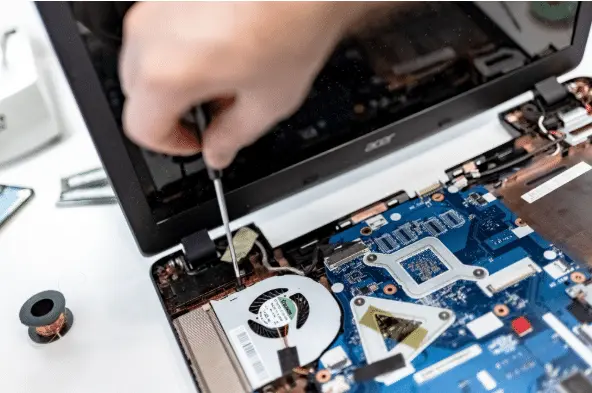
When To Replace Business Computers (And How Long They Last)
Most business PCs last about 3–5 years. Replace sooner if security updates end, key apps won’t run, reliability slips, or the employee’s work outgrows the hardware.

Small Business IT Budget: What to Include and Plan
Your small business IT budget should cover what you already run, the help to keep it working, planned upgrades, security, backups, staffing changes, projects, and a reserve for emergencies.

Guest Wi-Fi for Business: Keep Visitors Off Your Network
Guest Wi-Fi should give visitors internet access and nothing else. A second network name and password don't prove that, so here's how to check that your guest network is really walled off.

What To Do With Your Data When You Cancel a Cloud Service
Thinking about canceling a cloud app? Export and test your files first, move connected apps and sign-ins, then confirm what’s kept, what’s deleted, and when billing stops.

Personal Devices for Work: What to Allow and Avoid
Clear guidance on when to allow personal devices for work, how to secure them, and when to issue company hardware. Practical steps for small offices around Panama City.

Administrator Access for Employees: Limit It to IT Tasks
Standard accounts are safest for daily work. Keep admin rights for approved IT tasks only, ideally in a separate login. Here’s why and how to manage installs without giving everyone permanent control.

A Monthly IT Checklist for Small Business (30 Minutes)
Most IT trouble builds up quietly: backups that stopped, updates nobody finished, accounts for people who left. A half-hour check once a month catches it early.
Your Microsoft 365 Outage Plan to Keep Work Moving
Cloud hiccups happen. Here’s how to keep working, keep customers in the loop, and avoid chaos with a one-page plan for Microsoft 365 outages.

OneDrive vs SharePoint: Where Your Files Should Live
Not sure where files should go in Microsoft 365? Use OneDrive for your own work and SharePoint for anything the team shares. It keeps files findable and safe.

Small Business Website Security: Is Your Site a Risk?
Most small business websites run on WordPress, and the weak spot is usually old plugins nobody updates. Here's how sites get hacked and the simple habits that prevent it.