Want a smoother Microsoft 365 hybrid office? Use Teams as your work hub, RSVP in Outlook for in-person or online, improve video framing, control how you appear when presenting, and get AI coaching to sharpen your delivery.
“Hybrid office” isn’t just a trend. It’s how many companies now operate—some people in the building, some at home. In a February 2022 survey of employees who could work remotely, 42% reported a hybrid schedule and 39% were fully remote. The shift picked up during the pandemic and stuck because it helps with costs, flexibility, and morale. Many leaders worried output would drop, but in a lot of cases it actually improved. In fact, 63% of high-growth firms follow a “work from anywhere” model.
To make hybrid work succeed, people need simple, secure tools that keep everyone connected—whether they’re in Lynn Haven or on a client site at the Beach. Microsoft 365 keeps expanding with features designed for this new normal. Some are already available, and others continue to roll out.
Turn Teams into Your Daily Work Hub
Microsoft Teams is more than chat. It blends video meetings, channels, files, and apps in one secure place so your staff can coordinate work without juggling a dozen windows. Over the last few years, Microsoft has added features that make hybrid work easier, including:
- Built-in webinar registration and delivery
- Presenter modes that give you a polished on-screen look
- Extra protection for shared content with smart links and smart attachments
- Optional cloud phone service for a full business calling system
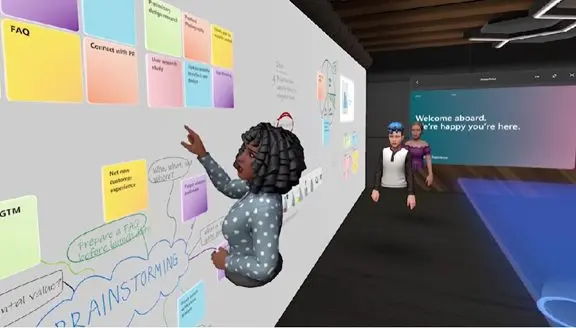
- A shared 3D experience called Mesh for Teams for more immersive collaboration
RSVP In-Person or Online from Outlook
When some teammates are in the office and others are remote, it helps to know how people plan to attend. An Outlook update lets invitees reply with whether they’ll join on-site or virtually. That small detail makes scheduling smoother and avoids guesswork.
Auto Framing Keeps Video Meetings Focused
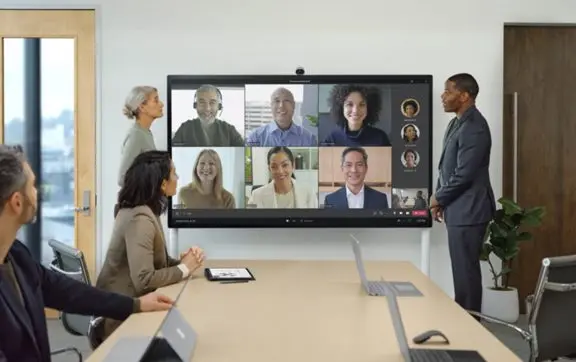
Distracting backgrounds and odd camera angles can pull attention away from the discussion. Microsoft’s Surface Hub 2S Smart Camera improves how people appear in Teams meetings. It adjusts the room view so faces are easier to see and more consistently sized. The display also adapts automatically as people enter or leave a conference room, so everyone stays framed appropriately.
Control How You Appear When Presenting
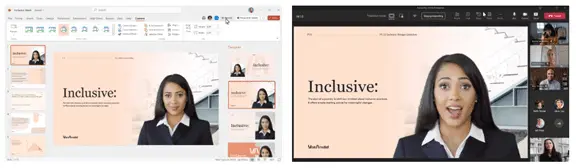
It’s tougher to keep a remote audience engaged if your video feed gets tucked into a tiny corner. Cameo, a feature that connects PowerPoint with Teams, lets you choose how your camera shows up alongside your slides—placement, size, and layout are up to you. PowerPoint also includes Recording Studio so you can create polished, on-demand presentations without leaving PowerPoint.
Private AI Coaching for Presenters
Microsoft has been adding AI throughout Microsoft 365, and one standout for presenters is Speaker Coach. It quietly gives you personalized tips to help you adjust to virtual delivery and build better habits over time. Feedback can include:
- Overused phrases
- Filler words (like “umm”)
- Speaking speed
- Pausing to invite questions
- Intonation
- Talking over others
- And more
Want a Microsoft 365 Hybrid Office That Just Works?
Microsoft 365 is packed with features, but you don’t have to sort it out alone. If you’d like help setting up a hybrid office that fits how your team works around Panama City and across Bay County, get in touch. We can guide you on what to turn on, what to skip, and how to keep it secure.